 GitHub Copilot
 Cursor
 OpenCode
 Qwen Code

Project explorer
Open a folder, browse your project, and move between files with tabs and split editor groups.
 span
An editor built for you and your agents
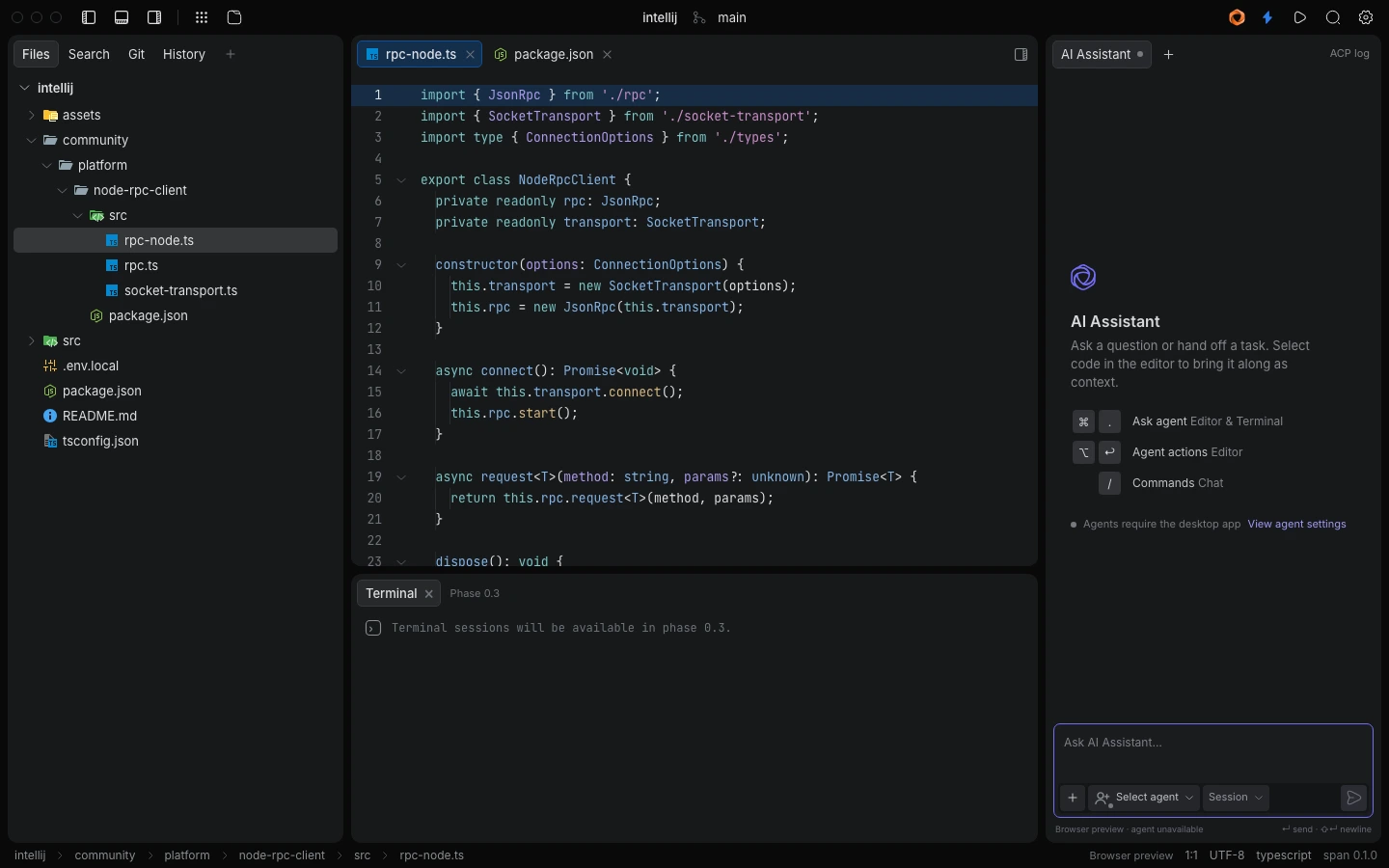
Your files, your editor, your agents.
A focused workspace that keeps you in control.
Bring a local agent into your editor through the Agent Client Protocol. Keep the conversation close to the code, review proposed changes, and decide what gets applied.
The foundation includes streamed sessions, permission requests, cancellation, and a review of changes by hunk. Agent setup and authentication stay with your chosen provider.
Explore agent support
 server.tspackage.json
// A workspace you stay in control of
import { createServer } from "node:http"
const port = Number(process.env.PORT ?? 3000)
export function start() {
return createServer((req, res) => {
res.end("Hello from span")
}).listen(port)
} Proposed change Illustration
An open protocol, a growing ecosystem
Provider availability depends on ACP support and local setup. Live provider verification is ongoing.TypeScript JavaScript
 Python
 Rust
 JSON
 Markdown
Open a folder and get to work. Tree-sitter parsing and CodeMirror editing bring syntax highlighting, folding, bracket matching, and shared undo to the foundation.
Start with TypeScript, JavaScript, Python, Rust, JSON, and Markdown. Development builds also include language-server integration. Availability depends on your language, installed tools, and the release.
A Rust core manages files, versioned text buffers, project search, and agent changes. A Tauri desktop shell connects it to a focused, local-first interface.
The browser gives you a taste of the workbench. The desktop app connects it to your own folders and locally configured agents.
See how it's builtYour machine
spanYour project Rust core
A foundation for the tools you use every day, with room to grow.
Open a folder, browse your project, and move between files with tabs and split editor groups.

Quick open and streamed project search help you reach the right file and the right line.

Syntax-aware editing with folding, versioned buffers, shared undo and redo, and explicit saving.

See proposed edits, review individual hunks, answer permission requests, and cancel a session.

Choose a dark, light, or purple theme and keep workspace preferences in validated settings.

Follow native terminals, language tools, and workspace improvements in the development releases. Git workflows, debugging, extensions, and remote work continue to take shape.
In development

Agent Client Protocol keeps the editor and the agent independent. Pick a compatible agent and bring its own tools, model, and authentication.
Development prereleases with known limitations. Read the release notes and verify your download before installing.
Phase 0.1
A native editor foundation with folder navigation, versioned buffers, syntax parsing, themes, and local ACP agent sessions. Explore what's implemented, the checks behind it, and the next phase in the source.
Read the current scope
Development installers are published on GitHub Releases and listed above when release data is available. These are prereleases with known limitations. Check the release notes for platform and signing details, or build the foundation from source.
The image shows the browser preview of the workbench. Native folder access, disk saving, and agent subprocesses require the desktop app.
The foundation connects local agents through ACP. Compatibility, distribution, and authentication depend on the agent. The repository describes registry support and custom executable configuration. Live provider verification is ongoing.
span exposes permission requests and a review of proposed changes. Local agents run with your operating system user's access. Those editor controls do not sandbox the agent process.
The project source is MIT licensed and available on GitHub. Supplied artwork, third-party logos, and icon assets retain their own provenance and applicable terms.